What nonprofit CFOs miss during the software demo phase (and how to fix it before you sign)
July 17, 2026 · 9 min read
An estimated 14,015 nonprofits could run out of cash within three months if government grants stop flowing, yet most finance teams still pick their accounting software based on a polished 45-minute demo. What nonprofit CFOs miss during the demo phase almost always comes down to the same blind spot: demos are built to impress, not to stress-test the exact workflows your organization runs every day.
The demo is designed to sell, not to reveal gaps. Vendors control the data, the scenario, and the pace, which means CFOs walk away impressed by features they will rarely use and unaware of workflows the software handles poorly. Practitioners who deploy these systems regularly observe organizations overpaying for features they never touch, because nobody documented the actual process before the shortlist got built.
Match the system to your processes; don't reshape your organization around the software. Before you book a single demo, list every manual handoff, every spreadsheet, and every place data gets re-entered between your grants team, your program staff, and your finance team.
Why fund accounting demos look different from what you'll actually use
Most nonprofit accounting software demos show a clean chart of accounts with two or three funds already configured. Your organization probably manages dozens of restricted funds, multiple grant periods, and indirect cost allocations that shift year to year.
Ask the vendor to build a new restricted fund from scratch, live, during the demo. Watch how many clicks it takes and whether the reporting updates automatically or requires a manual journal entry.
This is where nonprofit-native platforms like MIP Fund Accounting and Blackbaud Financial Edge NXT tend to separate themselves from general-purpose accounting programs. Fund accounting is a first-class concept in their data model, not a workaround bolted onto a for-profit ledger.
QuickBooks vs purpose-built fund accounting
QuickBooks Online remains the most common starting point for small mission-driven organizations. It's affordable, familiar to most bookkeepers, and widely discounted through programs like TechSoup. But its architecture was never built around restricted fund tracking: class and location tags can simulate fund accounting, but they don't enforce restrictions the way native fund accounting software does.
Nonprofits hit the wall once they manage more than a handful of grants, multiple program areas, or board reporting that requires fund-level detail. Reported annual cost ranges by tier:
- —QuickBooks Online: small nonprofits, basic bookkeeping. Low hundreds to low thousands per year
- —MIP Fund Accounting: mid-size nonprofits needing grant tracking. Roughly $3K–$10K/yr
- —Blackbaud Financial Edge NXT: nonprofits tied to Raiser's Edge fundraising data. Low-to-mid five figures per year
- —Sage Intacct: multi-entity nonprofits with complex consolidation. $12K entry, $25K–$35K typical per year
- —Unit4: large nonprofits and higher education. Six-to-seven figures per year
The three-year TCO rule: what demo pricing never shows
Vendors quote software in a way that flatters year one. Implementation fees, data migration costs, module add-ons, and annual price escalations rarely surface until the contract lands on your desk. Calculate the real three-year total cost of ownership before you sign anything; that number, not the sticker price shown in the demo, is the only budgeting metric worth trusting.
For example, Sage Intacct's entry pricing starts near $12,000 per year, but organizations report typical spend of $25,000 to $35,000 once modules for grants management, multi-entity consolidation, and reporting get added. Unit4 sits firmly in enterprise territory at six-to-seven figures annually, which only makes sense for large, multi-country nonprofits or universities.
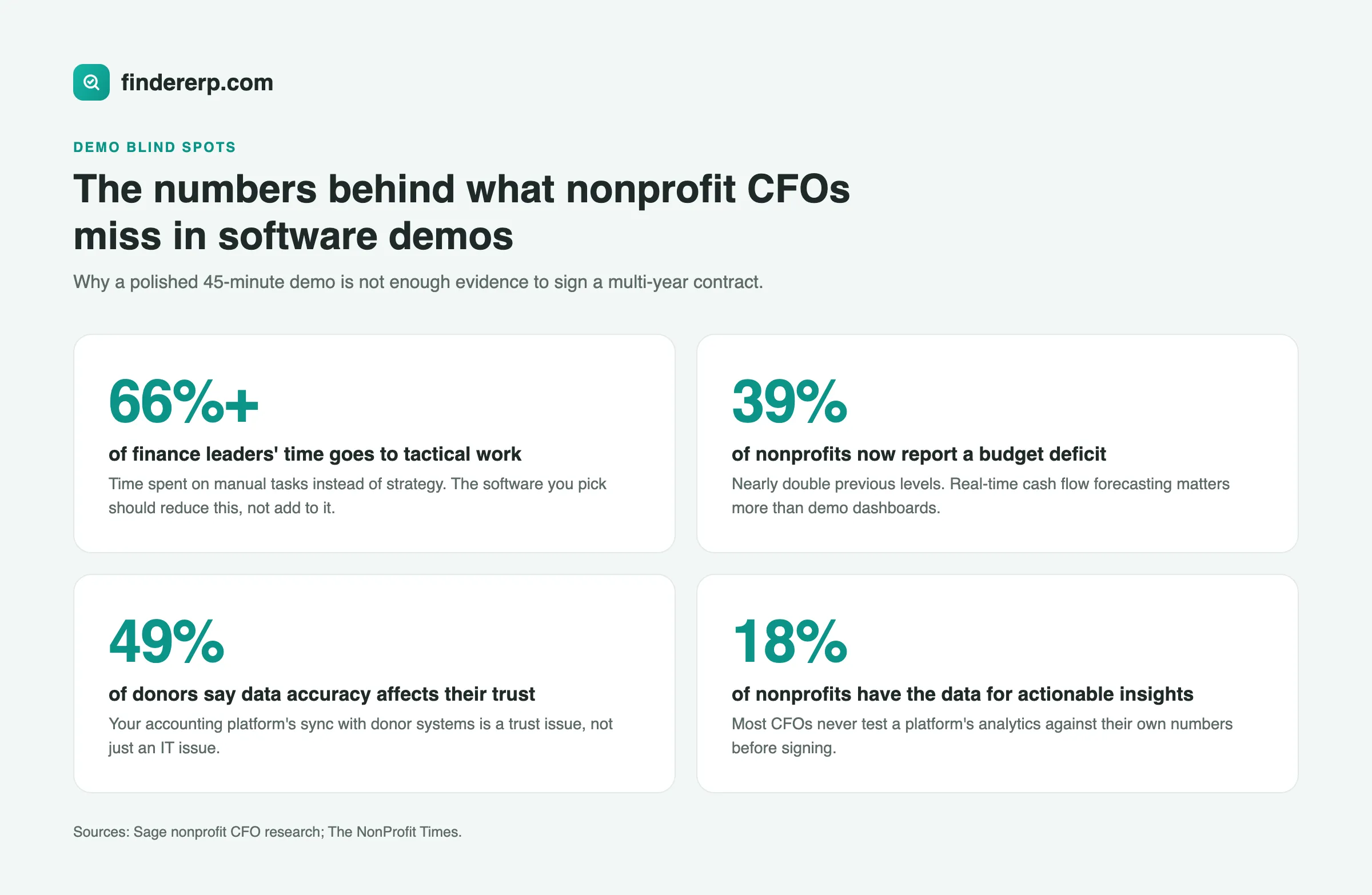
Worth knowing: nonprofit finance leaders spend more than 66% of their time on tactical work instead of strategy (per Sage's nonprofit CFO research), a burden the software you pick should reduce through automation, not add to.
Cash flow visibility: the demo feature nobody asks to see
Budget deficits at nonprofits have nearly doubled, with 39% of organizations now reporting a shortfall. That statistic alone should change what CFOs ask to see during a software demo.
Most demos highlight the general ledger, the reporting dashboard, and maybe a grant tracker. Almost none default to showing real-time cash flow forecasting across restricted and unrestricted funds.
Ask the vendor to model a scenario where a major grant payment is delayed by 60 days. If they can't show that in the demo, assume the reporting engine can't do it well in production either.
Comparing the nonprofit-native options
Four names come up in nearly every nonprofit fund accounting shortlist, and each fits a different organizational size.
- —Sage Intacct: strong dimensional general ledger and multi-entity consolidation. A fit for nonprofits managing several affiliates or chapters under one umbrella
- —Blackbaud Financial Edge NXT: best when your fundraising team already runs on Raiser's Edge and you want financial and donor data connected without a custom integration layer
- —MIP Fund Accounting: long-standing player with pricing that starts far lower than Intacct or Blackbaud, a common pick for mid-size organizations
- —AccuFund: quote-based pricing and flexible deployment. Worth evaluating for strong GAAP-aligned reporting without a rigid enterprise contract
When nonprofits need broader ERP
Not every nonprofit stays a pure fund accounting shop. Once program delivery involves inventory, multi-country payroll, or complex project billing, a broader ERP sometimes outperforms a nonprofit-specific tool.
- —NetSuite: from roughly $999/month plus per-user fees. Bundles financials, inventory, and CRM, which suits nonprofits running social enterprises or earned-revenue programs alongside grants
- —Unit4: built for people-centric organizations including higher education and large nonprofits. Handles project accounting and grant tracking well, but enterprise pricing rules out smaller teams
- —Dynamics 365 Finance: fits large nonprofits already standardized on the Microsoft stack; typical enterprise quotes run into six figures annually
- —ERPNext: the open-source route. Free self-hosted, or hosted plans from roughly $10 per user per month, for technically capable nonprofits willing to manage their own customization and support
Integration and data synchronization blind spots
Donors expect the information they see on giving platforms to be accurate and current, and 49% say accuracy and transparency directly affect their trust in an organization. That expectation puts real pressure on how your accounting software talks to donor management, payment processors, and grant portals.
Demos almost never show a live sync failure or a reconciliation error. They show the happy path: data flows in, reports update, everyone smiles. Ask instead what happens when a donation platform goes down for six hours, or when a grant portal changes its data format. A "single source of truth" means one authoritative dataset every department reads from and writes to; if the vendor can't explain how conflicts get resolved, that's a real gap.
Only 18% of nonprofits report having the data needed for actionable insights, which means most CFOs never actually test a platform's analytics against their own numbers before signing.
The hybrid alternative: when to build instead of buy
Not every nonprofit needs a full off-the-shelf ERP. An alternative path combines a lean core accounting system with workflow automation or custom-built agents that handle the parts no packaged ERP does well, like matching restricted grant expenses to specific line items automatically.
Consultancies that sell custom builds have an obvious interest in steering you that way, so treat it as one option to price out, not a foregone conclusion. Get a custom-build or hybrid automation quote from more than one source before signing a multi-year contract with any off-the-shelf contender.
And keep AI tightly bounded: deterministic automation for financials, human oversight on decisions. A grant compliance report should never be generated by a system nobody can explain to an auditor.
Build your demo checklist before the vendor calls
Workflow mapping has to happen before the shortlist exists, not after. Document your current manual handoffs, your restricted fund structure, and your board reporting requirements first. Then bring that documentation into every demo and insist the vendor use your data, not their sample company. What to bring into every session:
- —A real restricted grant with its actual reporting deadlines
- —Your current chart of accounts, even if it's messy
- —One board report template you actually use
- —A list of every third-party platform (donor CRM, payroll, payment processor) that needs to sync
- —Your realistic three-year growth trajectory in staff count and grant volume
The bottom line
What nonprofit CFOs miss during the software demo phase is rarely a single feature. It's the habit of evaluating a curated presentation instead of a documented, real-world workflow.
Match the system to your processes, not the other way around. Calculate the three-year total cost of ownership, test cash flow forecasting under stress, and confirm data synchronization with every donor and grant platform you already use, whether you're comparing QuickBooks, MIP, Sage Intacct, or a hybrid custom build.
Frequently asked questions
What do nonprofit CFOs most often miss during the software demo phase?
Most CFOs miss testing restricted fund workflows, cash flow forecasting under stress, and real data synchronization with donor and grant platforms. Demos are built around clean sample data, not the messy, multi-fund reality most nonprofits actually manage.
Is QuickBooks Online good enough for nonprofit organizations in 2026?
It works well for small organizations with simple fund structures and limited grant activity. Once an organization manages multiple restricted funds or complex grant reporting, purpose-built fund accounting software typically handles compliance and reporting more reliably.
How much does nonprofit accounting software actually cost per year?
Pricing varies widely: MIP Fund Accounting runs roughly $3,000 to $10,000 per year, Sage Intacct typically lands between $25,000 and $35,000 once modules are added, and enterprise platforms like Unit4 or Dynamics 365 Finance can reach six or seven figures. Always compare three-year total cost of ownership, not sticker prices.
What questions should I ask during an ERP demo for a nonprofit?
Ask the vendor to build a new restricted fund live, model a delayed grant payment in the cash flow forecast, and reproduce your actual board report format. If they can't do any of these on the spot using your data, that's a signal worth taking seriously before you sign.
Is cloud based accounting software better than on-premise for nonprofits?
Cloud generally wins on lower upfront cost, remote access for distributed teams, and automatic updates, which matters for organizations without dedicated IT staff. The tradeoff is ongoing subscription cost, so factor that into your three-year TCO calculation rather than judging on monthly price alone.
What's the difference between MIP, Blackbaud, and Sage Intacct for nonprofits?
MIP tends to fit mid-size nonprofits at a lower price point, Blackbaud Financial Edge NXT suits organizations already using Raiser's Edge for fundraising, and Sage Intacct fits multi-entity nonprofits needing stronger consolidation. The right choice depends on your growth trajectory and existing stack, not feature lists shown in a demo.
Should a small nonprofit consider a custom or hybrid accounting system instead of off-the-shelf software?
A hybrid approach, combining a lean core accounting system with custom automation for grant matching and reporting, can outperform a packaged ERP once manual handoffs start causing real errors. Price it out from more than one source before committing to a multi-year contract with any single vendor.
Keep going
Five questions. Three systems. No email required.
Take the 2-minute quiz